Menu
×
   ❮   
HTML CSS JAVASCRIPT SQL PYTHON JAVA PHP HOW TO W3.CSS C C++ C# BOOTSTRAP REACT MYSQL JQUERY EXCEL XML DJANGO NUMPY PANDAS NODEJS DSA TYPESCRIPT SWIFT ANGULAR ANGULARJS GIT POSTGRESQL MONGODB ASP AI R GO KOTLIN SWIFT SASS VUE GEN AI SCIPY AWS CYBERSECURITY DATA SCIENCE INTRO TO PROGRAMMING HTML & CSS BASH RUST

AWS Cloud Tutorial

AWS HOME AWS Intro AWS Cloud Certification AWS Get Started AWS Cloud Computing AWS Cloud Benefits AWS Infrastructure Intro AWS EC2 Intro AWS EC2 Instance Types AWS EC2 Pricing AWS EC2 Scaling AWS EC2 Auto Scaling AWS Elastic Load Balancing AWS Messaging AWS EventBridge AWS SNS AWS SQS AWS Messaging Comparison AWS Serverless AWS Lambda AWS Containers AWS ECS AWS EKS AWS Fargate AWS Additional Compute AWS Infrastructure AWS Regions AWS Availability Zones AWS Edge Locations AWS Provision AWS Provision Services AWS Elastic Beanstalk AWS CloudFormation AWS Networking AWS Connectivity AWS Subnet and Access AWS Global Networking AWS Global Architectures AWS Storage AWS Instance Stores AWS EBS AWS S3 AWS Elastic File System AWS Storage Comparison AWS Databases AWS RDS AWS DynamoDB AWS DynamoDB vs RDS AWS Redshift AWS DMS AWS Additional DB Services AWS AI/ML Intro AWS AI/ML on AWS AWS AI/ML Services AWS Generative AI Intro AWS Generative AI Services AWS Data Analytics AWS Data Pipelines AWS Cloud Security AWS Shared Responsibility AWS User Access AWS Network Protection AWS Data Protection AWS Detection and Response AWS Monitoring & Governance AWS Monitoring Intro AWS CloudWatch AWS CloudTrail AWS Compliance AWS Auditing AWS Organizations AWS Governance AWS Health AWS Trusted Advisor AWS Pricing and Support AWS Free Tier AWS Pricing Concepts AWS Billing Services AWS Support Plans AWS Marketplace AWS Cost Optimization AWS Migration AWS CAF AWS Migration Strategies AWS Migration Services AWS Database Migrations AWS Data Transfer Online AWS Data Transfer Offline AWS Well-Architected Solutions AWS Well-Architected Framework AWS Specialized Services AWS Specialized Use Cases AWS Cloud Practitioner Wrap Up AWS Exam Preparation

AWS Examples

AWS Cloud Exercises AWS Cloud Quiz AWS Certificate

More AWS

AWS Machine Learning AWS Serverless AWS GenAI

User Permissions and Access


What is AWS Identity and Access Management (IAM)?

AWS Identity and Access Management (IAM) securely manages identities and access to AWS services. By default, all actions are denied - you must explicitly grant permission.

IAM follows the Principle of Least Privilege: only give people and systems access to what they need. It provides users, groups, roles, and policies to configure access based on your security needs.


User Permissions and Access Video

W3schools.com collaborates with Amazon Web Services to deliver digital training content to our learners.


IAM Identities

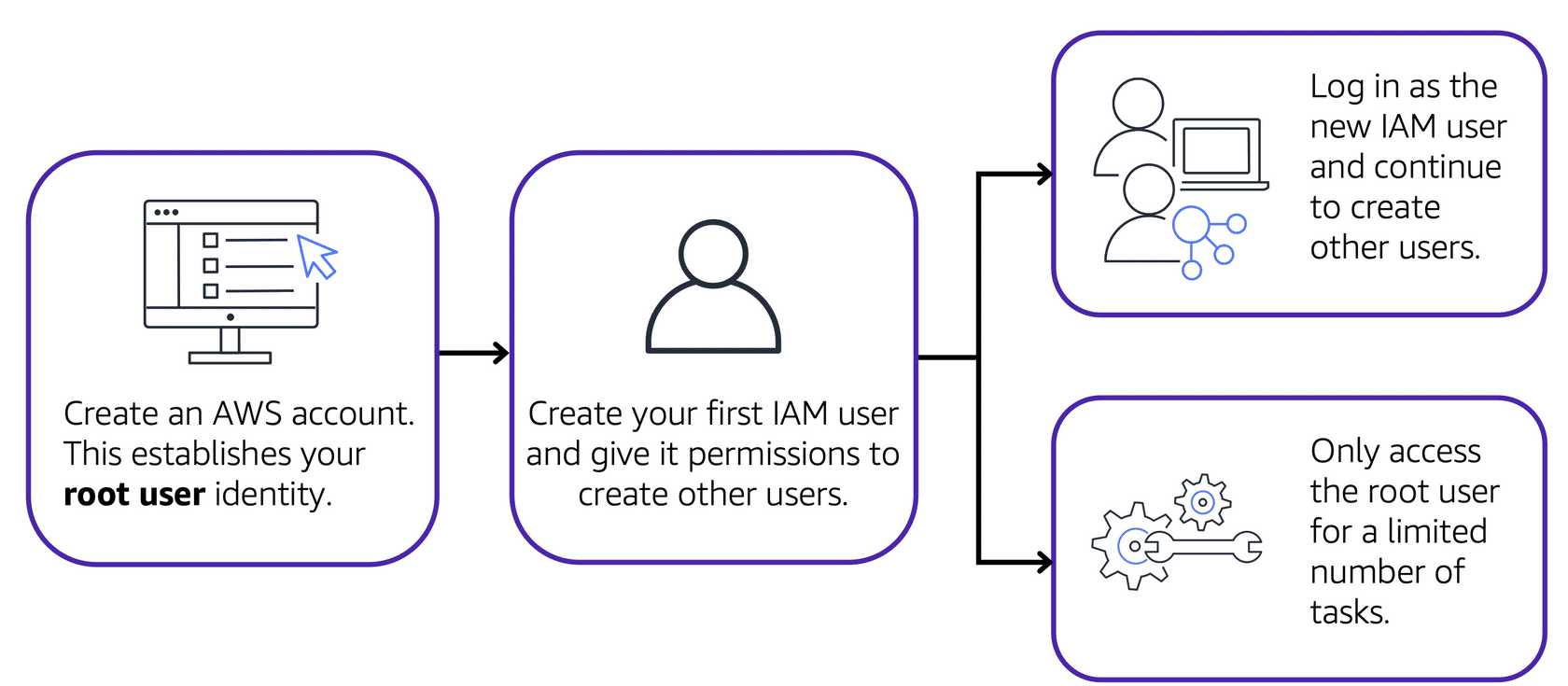
Root User

The account owner created when you first start an AWS account with full permissions. Best practices:

  • Use a strong password and enable MFA
  • Avoid using root user for daily tasks
  • Create IAM identities for daily work
Image of creating and using the root user

Image created by Amazon Web Services

IAM Users

Represents a person or application that interacts with AWS. Created without permissions by default - create one IAM user per individual.


IAM Policies

Documents that allow or deny permissions to AWS resources. Customize access for each user based on what they need.
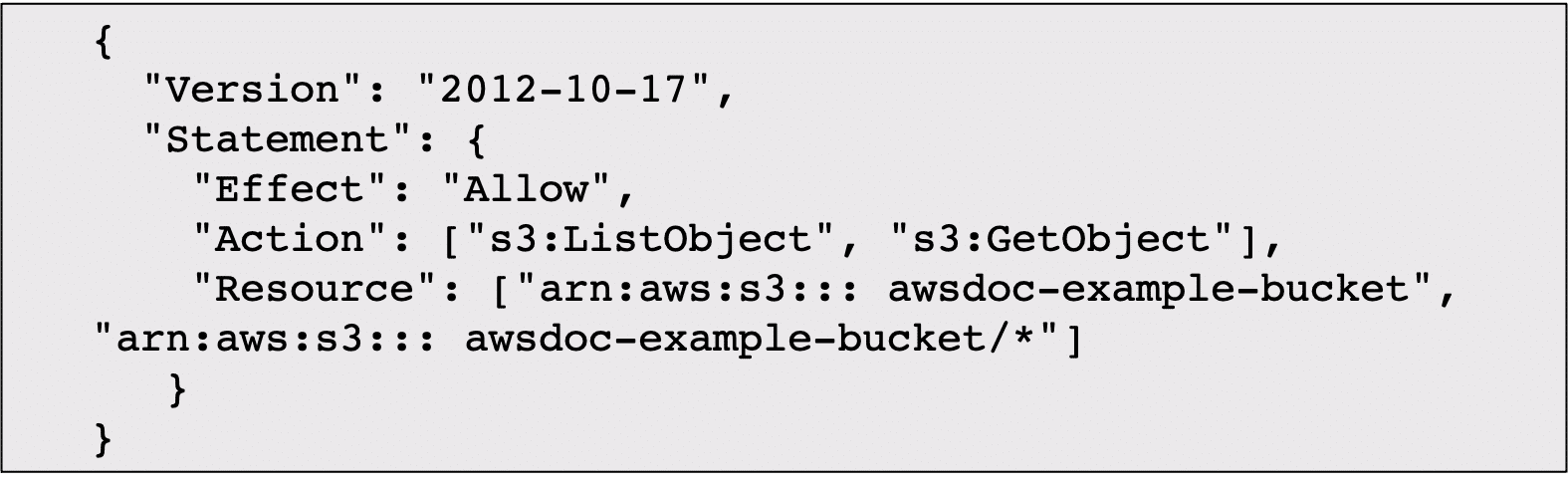
IAM policy example

Image created by Amazon Web Services

IAM Groups

A collection of IAM users. Policies assigned to a group apply to all users in that group.
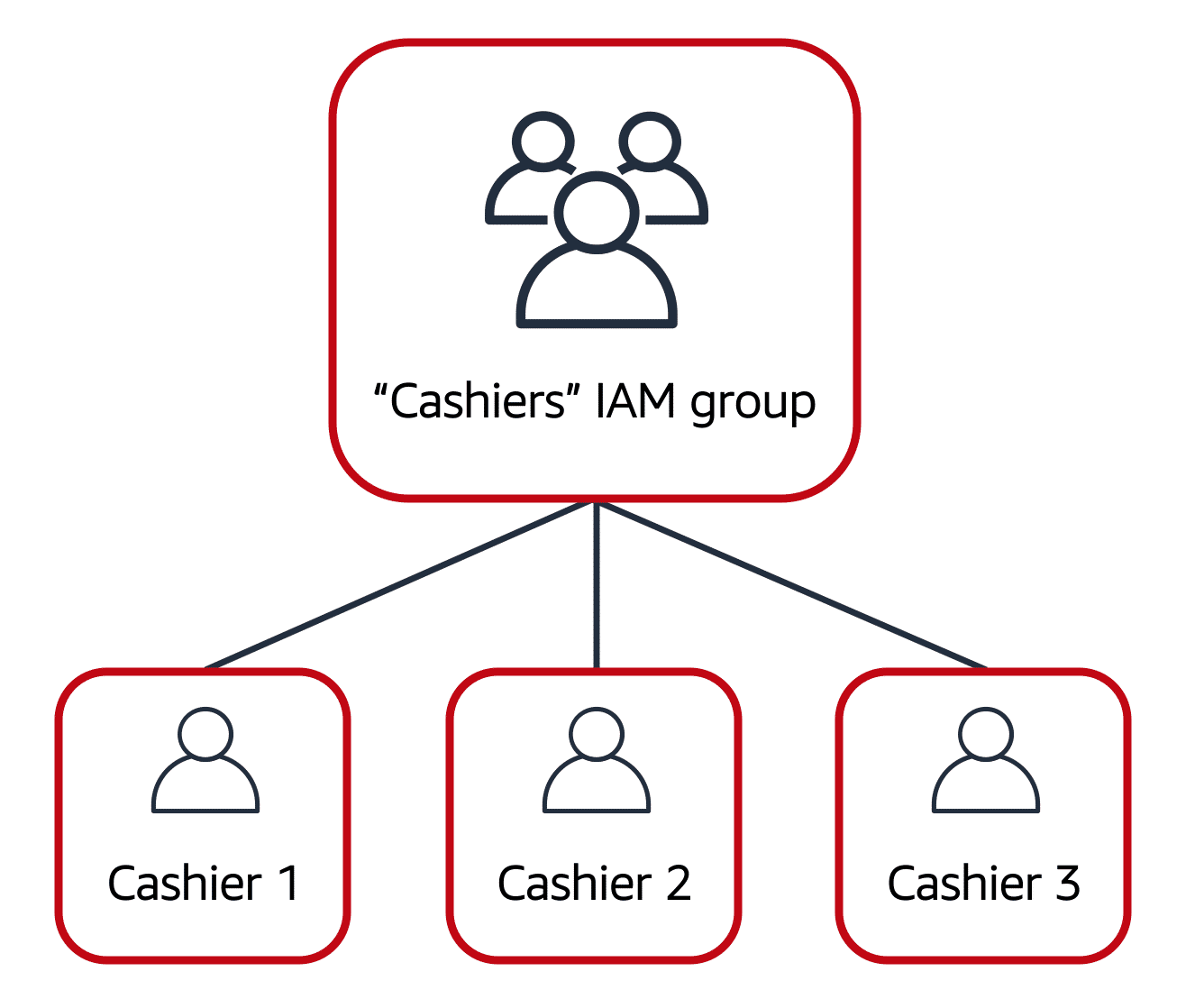
IAM group structure

Image created by Amazon Web Services

IAM Roles

An identity you can assume to gain temporary access to permissions. When assuming a role, you abandon previous permissions and take on the role's permissions. Best for temporary access scenarios.


Multi-factor Authentication (MFA)

Requires at least two verification methods to log in, providing an extra security layer. Can use security codes sent to mobile devices or email.


Additional Services

Service What It Does
IAM Identity Center Centralizes identity management and single sign-on across AWS accounts
AWS Secrets Manager Securely manage and rotate credentials, API keys, and secrets
AWS Systems Manager Centralized view of nodes with automated patching and management

AWS Cloud Exercises

Test Yourself With Exercises

Exercise:

Fill in the blank

IAM user represents an  (person or application)

Start the Exercise


×

Contact Sales

If you want to use W3Schools services as an educational institution, team or enterprise, send us an e-mail:
sales@w3schools.com

Report Error

If you want to report an error, or if you want to make a suggestion, send us an e-mail:
help@w3schools.com

W3Schools is optimized for learning and training. Examples might be simplified to improve reading and learning. Tutorials, references, and examples are constantly reviewed to avoid errors, but we cannot warrant full correctness of all content. While using W3Schools, you agree to have read and accepted our terms of use, cookies and privacy policy.

Copyright 1999-2026 by Refsnes Data. All Rights Reserved. W3Schools is Powered by W3.CSS.