W3Schools Bootcamps
Product Design & Figma Fundamentals
Bootcamp
Join SmplCo for a high-intensity, hands-on bootcamp designed to take you from concept to launch-ready design using the methodologies featured in Figma's official case study.
>>> load_curriculum()
Loading modules...
>>> start_designing()
_
About This Course
This course is built on the specific methodologies featured in SmplCo's Figma Make case study, where they helped Saddle go from a raw idea to a launched product in just 2 weeks.
Led by SmplCo Managing Director Andreas Melvær, this program pulls in specialized experts to give you the practical knowledge and "hands-on confidence" required to build with professional speed. You won't just learn tools; you will learn the product building workflow used by industry leaders.
Live Online Learning
Learn directly from SmplCo experts through live online sessions.
Part-Time & Flexible
Only 6 hours per week. Mon, Wed, Thu 14:00-16:00 CET.
Industry Certificate
Earn an industry-recognized certificate from W3Schools & SmplCo.
Personalised, on-demand support from our global network of mentors
Hyper Relevant
Learn Figma with the tools and techniques used by product designers at top startups and enterprises today.
Hands On
Project based learning, and live online support from our team of instructors and mentors.
Flexible & Efficient
Learn during your afternoons with a cohort of learners, and be fully design-ready in 4 weeks.
W3Schools is trusted by companies worldwide







Meet Your Instructor

Andreas Melvær
Managing Director, SmplCo • Product Designer
Andreas is a product designer and prototyping specialist with extensive experience helping founders turn early ideas into clear, testable products. He has been featured by Figma itself for his work on how teams can use Figma Make to bridge design and building.
Areas of Expertise
Upcoming Start Dates
Cohort
Cohort
What You Will Learn
- check_circle Figma Fundamentals: Master the core interface of Figma Design
- check_circle The "Make" Methodology: Learn the specific 2-week "Idea to Launch" framework featured in the Figma case study
- check_circle Rapid Prototyping: How to move quickly from wireframes to high-fidelity clickable prototypes
- check_circle Hand-off & Build: Best practices for preparing your designs for development (the "Make" phase)
- check_circle AI-Powered Design: Use Figma AI, image generators, and design-to-code tools to 10x your creative workflow
How It Works
Enroll & Reserve
Choose your preferred cohort start date and secure your spot. You'll receive immediate access to pre-course materials.
Join Your Cohort
Meet your instructors and fellow students on day one. You'll be part of a small group for personalized attention.
Learn & Build
Attend live sessions 3x per week. Complete hands-on projects and assignments with instructor guidance and feedback.
Get Certified
Complete your portfolio project and earn your W3Schools & SmplCo certification to showcase your new skills.
Design Faster with AI Tools
The design landscape is evolving rapidly with AI. In this bootcamp, you'll learn to leverage cutting-edge AI tools that are transforming how designers work - from ideation to production.
Figma AI & Make
Use Figma's built-in AI features and Make to generate layouts, components, and production-ready code.
AI Image Generation
Create mockup assets, backgrounds, and placeholders using AI image tools integrated into your workflow.
Design-to-Code
Transform your Figma designs into working code with AI-powered export tools and plugins.
10x Faster Iteration
Learn prompt patterns and AI workflows that let you explore more ideas in less time.
Designed for Busy Schedules
Our bootcamp is part-time by design, allowing you to learn without putting your life on hold. Sessions are scheduled in the afternoons CET, making it possible to balance work, family, and your education.
Session Replays
Missed a class? All live sessions are recorded and shared so you can catch up at your own pace.
Afternoon Sessions
Classes are held 14:00-16:00 CET, designed to fit around your work schedule.
Late Joiners Welcome
Starting late? Access all previous recordings to catch up with your cohort.
Learn at Your Pace
Review materials as many times as you need. No pressure, just progress.
Bootcamp Certificate of Completion
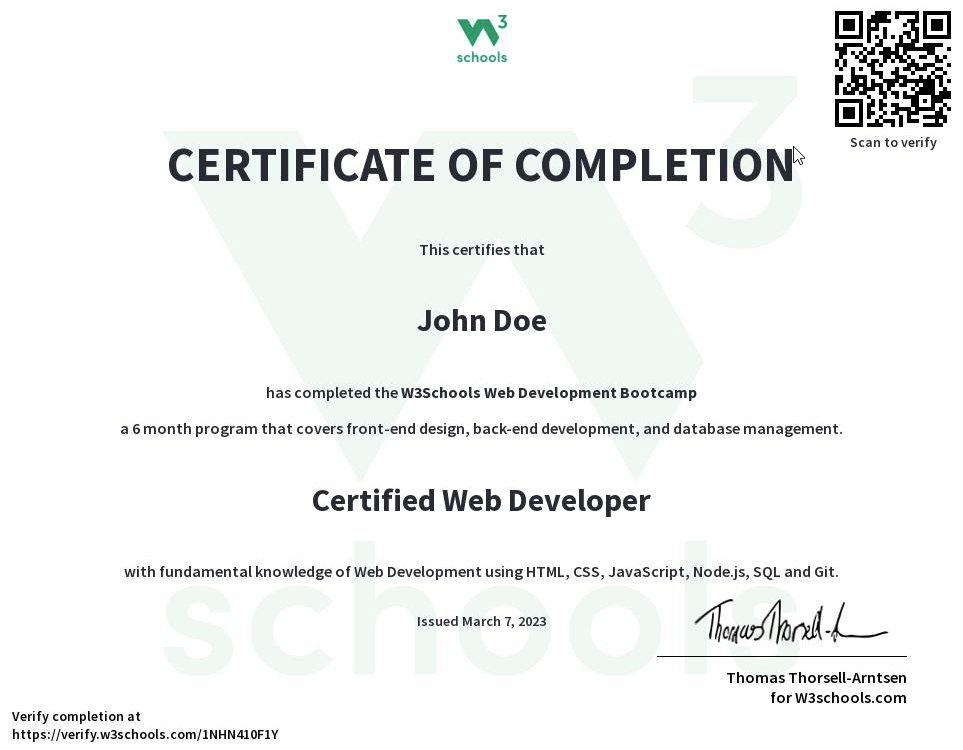
Prove Your Skills to Employers
Upon successful completion of this Bootcamp, you'll receive an official W3Schools & SmplCo Certificate of Completion. This certificate validates your skills and dedication, helping you stand out in the job market.
Industry-Recognized Credential
Backed by W3Schools and SmplCo, trusted by millions of developers worldwide.
Shareable on LinkedIn
Add your certificate directly to your LinkedIn profile and resume.
Portfolio Ready
Complete projects you can showcase to potential employers.
Job Opportunities
Product design and Figma skills are in high demand across industries. With these skills, you'll be qualified for roles in UX/UI design, product management, and startup founding.
Companies of all sizes need designers who can move fast from idea to prototype. The "Make" methodology you'll learn is exactly what modern product teams need.
badge Common job titles:
...and more.
Pricing Options
Monthly Payments
A more flexible payment option for those who prefer to spread out the cost.
Choose PlanWhat Our Students Say

Tim Eberhard
"Fun, intensive, interesting"
Our class is really fun, we talk and laugh a lot together. The instructor explains the content in an easy way.

Javier Lavin
"Everything you want for a bootcamp!"
After months of searching, I found a program that was affordable and offered more than one live online meeting per week.

Robyn Johnson
"Very interesting!"
The instructor is awesome! He leads you to the answer instead of giving it to you, which helps build confidence.
Frequently Asked Questions
Do I need prior design experience? expand_more
No prior design experience is required! This bootcamp is designed for beginners. We start from the fundamentals and build up your Figma skills progressively.
What equipment do I need? expand_more
A computer (PC or Mac) with internet access is all you need. Figma runs in the browser, so no special software installation is required. A second monitor is recommended for practice during sessions.
What certificate do I receive? expand_more
Upon completing the bootcamp, you will receive an industry-recognized certificate from W3Schools and SmplCo acknowledging your participation and skills acquired.
Can I continue to other bootcamps after this? expand_more
Absolutely! The Figma Bootcamp pairs well with our Vibe Coding in Lovable bootcamp for no-code building, or our Web Development Bootcamp if you want to learn to code your designs.
Looking to upskill your team?
Empower your team with product design skills for rapid prototyping and validation. W3Schools can customize the program for your organization.
Contact SalesCorporate Training
Get a custom quote for teams of 5 or more.
Send an email to get in touch:
bootcamps@w3schools.comReady to Master Product Design?
Learn the exact methodology used by industry leaders to go from idea to launched product in weeks.